
I’m willing to bet that there are a lot of developers out there who still reach for jQuery when tasked with building simple apps. There are often times when we need to add some interactivity to a page, but reaching for a JavaScript framework seems like overkill — with all the extra kilobytes, the boilerplate, the build tools and module bundlers. Including jQuery from a CDN seems like a no-brainer.
In this article, I’d like to take a shot at convincing you that using Vue.js (referred to as Vue from here on), even for relatively basic projects, doesn’t have to be a headache, and will help you write better code faster. We’ll take a simple example, code it up in jQuery, and then recreate it in Vue step by step.
What We’re Building
For this article, we’re going to be building a basic online invoice, using this open-source template from Sparksuite. Hopefully, this should make a refreshing change from yet another to-do list, and provide enough complexity to demonstrate the advantages of using something like Vue while still being easy to follow.
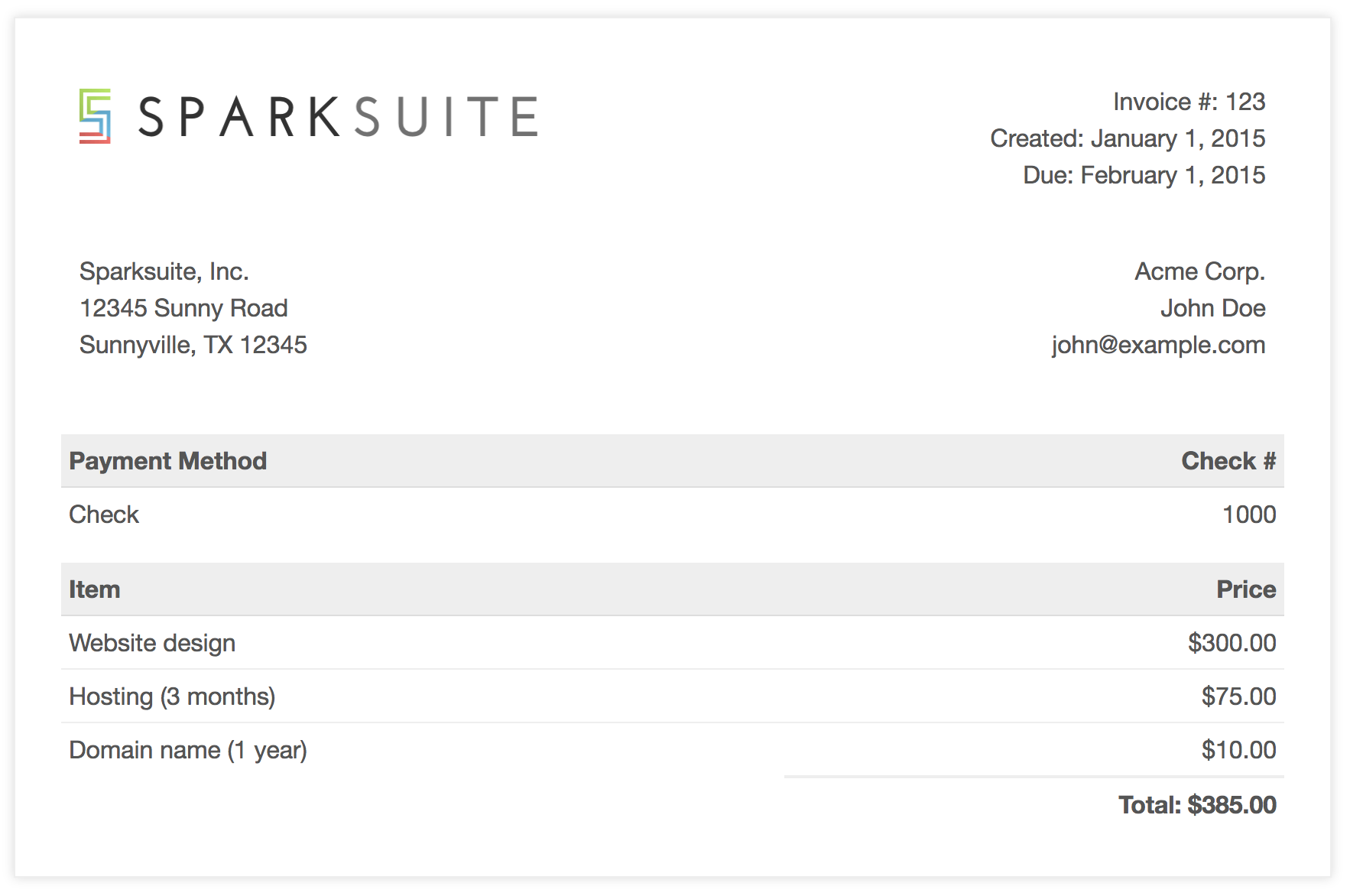
We’re going to make this interactive by providing item, unit price, and quantity inputs, and having the Price column automatically recalculated when one of the values changes. We’ll also add a button, to insert new empty rows into the invoice, and a Total field that will automatically update as we edit the data.
I’ve modified the template so that the HTML for a single (empty) row now looks like this:
<tr class="item">
  <td><input value="" /></td>
  <td>$<input type="number" value="0" /></td>
  <td><input type="number" value="1" /></td>
  <td>$0.00</td>
</tr>
jQuery
So, first of all, let’s take a look at how we might do this with jQuery.
$('table').on('mouseup keyup', 'input[type=number]', calculateTotals);
We’re attaching a listener to the table itself, which will execute the calculateTotals function when either the Unit Cost or Quantity values are changed:
function calculateTotals()  {
  const subtotals = $('.item').map((idx, val)  => calculateSubtotal(val)).get();
  const total = subtotals.reduce((a, v)  => a + Number(v),  0);
  $('.total td:eq(1)').text(formatAsCurrency(total));
}
This function looks for all item rows in the table and loops over them, passing each row to a calculateSubtotal function, and then summing the results. This total is then inserted into the relevant spot on the invoice.
function calculateSubtotal(row) {
  const $row = $(row);
  const inputs = $row.find('input');
  const subtotal = inputs[1].value * inputs[2].value;

  $row.find('td:last').text(formatAsCurrency(subtotal));

  return subtotal;
}
In the code above, we’re grabbing a reference to all the <input>s in the row and multiplying the 2nd and 3rd together to get the subtotal. This value is then inserted into the last cell in the row.
function formatAsCurrency(amount) {
  return `$${Number(amount).toFixed(2)}`;
}
We’ve also got a little helper function that we use to make sure both the subtotals and the total are formatted to two decimal places and prefixed with a currency symbol.
$('.btn-add-row').on('click', () => {
  const $lastRow = $('.item:last');
  const $newRow = $lastRow.clone();

  $newRow.find('input').val('');
  $newRow.find('td:last').text('$0.00');
  $newRow.insertAfter($lastRow);

  $newRow.find('input:first').focus();
});
Lastly, we have a click handler for our Add row button. What we’re doing here is selecting the last item row and creating a duplicate. The inputs of the cloned row are set to default values, and it’s inserted as the new last row. We can also be nice to our users and set the focus to the first input, ready for them to start typing.
Here’s the completed jQuery demo:
See the Pen jQuery Invoice by SitePoint (@SitePoint) on CodePen.
The post How to Replace jQuery with Vue appeared first on SitePoint.
by Nilson Jacques via SitePoint


