Wednesday, December 4, 2019

Bootstrap 4.4.0 arrives, Firefox Replay unveiled on macOS (only, for now)

#419 — December 4, 2019

Read on the Web

In case you were wondering if you were missing an issue of Frontend Focus last week, we took a break for Thanksgiving :-)

Frontend Focus

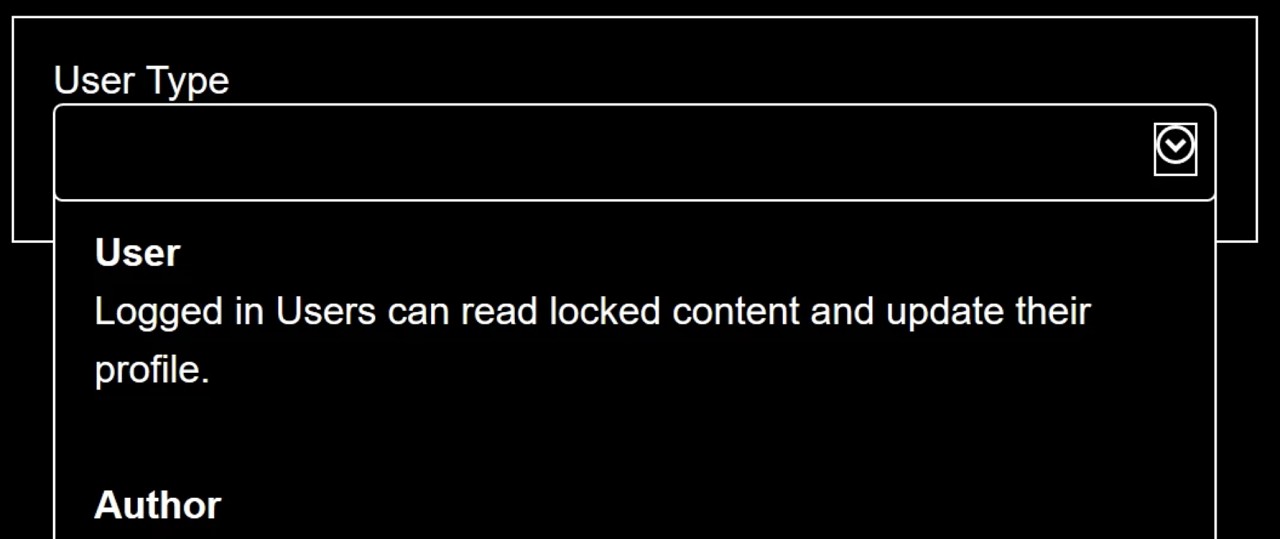
Making a Better Custom Select Element — Julie Grundy kicks off 24ways’s fifteenth Web developer advent calendar with a fantastic article digging deep into the thorny issue of customizing form inputs while keeping them accessible.

Julie Grundy

Bootstrap 4.4.0 — This update to the popular component library introduces new responsive containers and classes, new functions and mixins, along with various fixes and deprecations.

Mark Otto, Jacob Thornton, and Bootstrap contributors

New Course: ⚛️ GraphQL + React Hooks — Learn to use GraphQL on the client-side using React with Apollo Client.

Frontend Masters sponsor

Mozilla Shows Off Firefox Replay for Nightly Builds on macOS — It's still very early days, but this new tool allows you to record, replay and rewind various processes, including JS behaviour, DOM changes, graphical updates and more. Cross-platform support will come later. Detailed information on the project is over on Mozilla’s site.

Paul Hill

How to Use New CSS :is() for Easy Element Targeting — A straightforward look at this new “matches-any” pseudo-class, a successor of sorts to the :any() and :matches() selectors. Runs through a few uses cases, including pairing it up with :not.

Kezz Bracey

▶  Do This to Improve Image Loading On Your Website — Jen Simmons explains how adding width and height attributes to all your images is something you may want to start doing again, as this can now help stop load ‘jank’.

Mozilla Developer

A W3C Status Update on Web Games Technologies — The W3C has a quick bullet-point roundup of where things standard regarding various technologies used in building games for the Web, such as WebAssembly, the Gamepad API, and the Web Monetization API.

François Daoust (W3C)

💻 Jobs

Software Engineers, Frontend at Fictiv (San Francisco) — We bring a user friendly experience to manufacturing, making it easy to turn designs into real products. Use the latest tech and JS to iterate quickly, ensuring a rapid feedback loop between us and our customers.

Fictiv

Frontend Developer at X-Team (Remote) — Work with the world's leading brands, from anywhere. Travel the world while being part of the most energizing community of developers.

X-Team

Find a Job Through Vettery — Make a profile, name your salary, and connect with hiring managers from top employers. Vettery is completely free for job seekers.

Vettery

📙 News, Tutorials & Opinion

Edge Vs. Chrome: Microsoft's Tracking Prevention Hits Google The Hardest — The new Edge browser, built on the same open source code as Google Chrome, contains a new Tracking Prevention feature that blocks third-party trackers and, at the Strict setting, many ads.

Ed Bott

The Firefox UI Is Now Built with Web Components — A few weeks ago Mozilla moved away from their XML-based UI implementation over to one built using Web Components. This blog post explains the what and the why behind this years long effort.

Brian Grinstead

An Introduction to the Picture-in-Picture Web API — Chrome supports a ‘picture-in-picture’ mechanism for creating floating video windows that continue to play even if a user navigates to a different page. Firefox and Safari have support via proprietary APIs too.

Ayooluwa Isaiah

WebSockets Vs Long Polling — Should you ever use Long Polling instead of WebSockets? Read more in this protocol comparison.

Ably sponsor

▶  Lessons Learned From Performance Monitoring in Chrome — Filmed at the recent performance.now() conference, this talk is full to the brim with insightful performance know how. Here’s the related slides.

Annie Sullivan

Switch It Up with CSS Custom Properties — The bare basics of using CSS custom properties (a.k.a. CSS variables) particularly with theming.

Kristofer Giltvedt Selbekk

Labels Are A Last Resort — Worry not, this isn’t about forms and accessibility, more so about practical label placement, emphasis, and whether you may need one at all in certain scenarios.

Refactoring UI

▶  Predictive Prefetching — Examines the techniques currently being developed, like GuessJS, to make predictive prefetching a reality.

Divya Sasidharan

▶  When JavaScript Bytes — Practical ways to reduce the amount of JavaScript we’re sending down to the people using our sites.

Tim Kadlec

Building Animated Draggable Interfaces with Vue.js and TailwindTailwind CSS is an increasingly popular CSS framework.

Cristi Jora

Tried & True Productivity Tips from 25 React Experts

Progress KendoReact sponsor

Checklist to Avoid The Most Common Accessibility Errors

Bruce Lawson

Create HTML5 Native Games in Ionic Capacitor using Phaser

Abhijeet Rathore

🔧 Code, Tools & Resources

CSSYBERTRUCK — An animated CSS recreation of the Tesla Cybertruck. Be a shame if someone was to tamper with those windows...

David Khourshid codepen

WebGLStudio.js: A 3D Graphics Editor in the Browser — It’s not new but its author says it’s now mature, ready to be extended, and can be used in production (although a 1.0 release is still a little way away).

Javi Agenjo

Featured GSAP 3 Pens: A Collection by GreenSock — Last week we shared news of GSAP 3’s release, and here the GreenSock team share a collection of Codepens that show off the animation library’s new features.

GreenSock codepen

Happy Hues: Curated Colors in Context — A color palette ‘inspiration site’ that shows you the colors in a ‘real-world’ context.

Mackenzie Child

Creepyface: JS Library That Makes Your Face Follow The Pointer

Alejandro Tardín

Screenshot-to-code: A Neural Network That Transforms A Design Mock-up Into A Static Website

Emil Wallner

Wireframer: Generate SVG 'Mock Text' for Your Wireframes

Jim Raptis

   🗓 Upcoming Events

Flashback Conference, February 10-11 — Orlando, Florida — Looks at cutting-edge web dev, browser APIs and tooling, but adds the understanding of how they’ve evolved from the past to the web of today.

FrontFest, February 15 — Madrid, Spain — A Spanish conference, now in its fourth year.

Frontend Developer Love, February 19-21 — Amsterdam, Netherlands — Three full days of talks from 35+ global JavaScript leaders from around the world.

CityJS Conf, March 27 — London, UK — A 'JavaScript festival' across London.


by via Frontend Focus

CEO Susan Wojcicki Claims to Strictly Regulate Children’s YouTube Use

Over the past couple of years YouTube has been heavily criticized for how it targets children. With personalized ads being shown on videos aimed at children, a big chunk of YouTube’s revenue seemed to be coming from data it had collected from children using the platform. It took a 170 million...

[ This is a content summary only. Visit our website https://ift.tt/1b4YgHQ for full links, other content, and more! ]

by Zia Muhammad via Digital Information World

7 Ways Developers Can Contribute to Climate Action

7 Ways Developers Can Contribute to Climate Action

Whether you’ve just started out as a software engineer or you’ve been at it for decades, you too can play a role in helping to positively impact climate.

When people first consider this, they tend to think about the impact writing efficient code will have. Of course, you should always write efficient, elegant code. But unless the code you’re creating is going to be used by millions of people, it may not be where you can have the biggest impact from a climate perspective. (Code being used by millions or billions of people is probably highly optimized anyway!)

In this article, we'll look at seven other ways you can help.

Choose Where You Spend Your Career

Being an engineer means you have one of the most sought after, transferable occupations on the planet. In virtually any city in the world, you'll be in demand and probably well paid, so you have plenty of options. Choosing to work in a place that's at the intersection of your cares and your code is one of the easiest ways you can have an impact. Engineering is also one of the few careers where the job can be done remotely, and there's a growing list of companies focused on hiring people to work remotely.

Find Time to Contribute to Open-source Projects

Open source enables us all to benefit from a collective effort and shared knowledge, so the benefits are already clear. But what you may not be aware of is the mass of open-source projects specifically targeted at helping the environment. Open source also powers some of the biggest sites on the Internet, so you may also find your code being used at that billions-of-people scale mentioned earlier. While it's easy to find projects you can work on via a quick Google search, this article highlights a few.

Apply Your Skills to Non-profits

A lot of the work being done to combat or deal with the impacts of climate change are being done by the non-profit sector, and the one thing the non-profit sector always has is a lack of capital and a lack of talent. When people think of volunteering, they tend to think of painting a shed or handing out food at a shelter, but you can potentially create a bigger and more lasting impact by applying your skills and experience.

I worked with a non-profit to help design, set up and configure Salesforce's (free for nonprofits) service, so they could run more efficiently and at a higher scale. Hour for hour this was the best way I could help them to have a bigger impact.

Influence the Way the Product is Designed

With the rise of agile, squads (pioneered by Spotify) and cross-functional teams generally, the dynamic within the team has changed. Engineers now have a seat at the table to drive what the software does, how it works and even the end-customer problems it solves. This means as an engineer you can either walk into the room and be told what is being built or you can stand up and help drive that outcome, by considering the climate change impact of a design decision. A great example of this might be to set default shipping options to a lower impact option in an eCommerce site, or Google maps defaulting to a walking option vs a driving option.

The post 7 Ways Developers Can Contribute to Climate Action appeared first on SitePoint.


by Vincent Turner via SitePoint

How to Divert Traffic Using IP2Location in a Next.js Website

How to Divert Traffic Using IP2Location in a Next.js Website

This article was created in partnership with IP2Location. Thank you for supporting the partners who make SitePoint possible.

In a world where online commerce has become the norm, we need to build websites that are faster, user friendly and more secure than ever. In this article, you’ll learn how to set up a Node.js powered website that’s capable of directing traffic to relevant landing pages based on a visitor's country. You'll also learn how to block anonymous traffic (e.g. Tor) in order to eliminate risks coming from such networks.

In order to implement these features, we'll be using the IP2Proxy web service provided by IP2Location, a Geo IP solutions provider. The web service is a REST API that accepts an IP address and responds with geolocation data in JSON format.
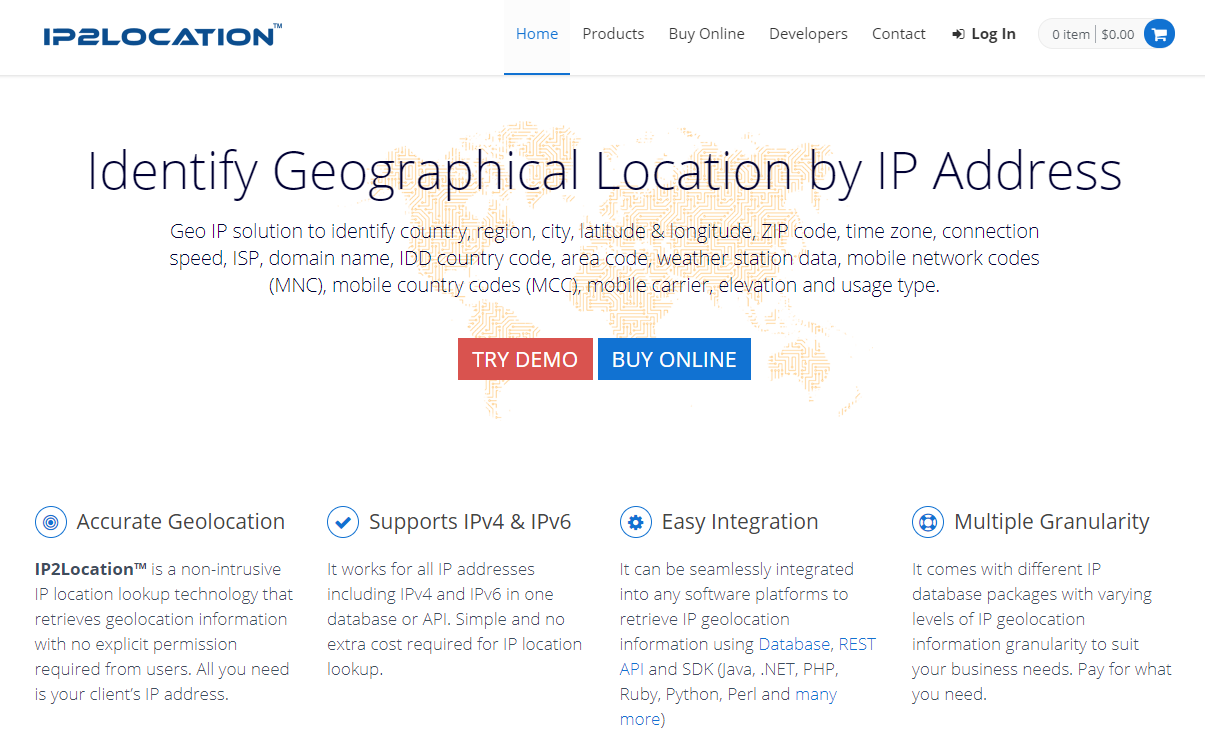
ip2location website

Here are some of the fields that we'll receive:

  • countryName
  • cityName
  • isProxy
  • proxyType
  • etc.

We'll use Next.js to build a website containing the following landing pages:

  • Home Page: API fetching and redirection will trigger from this page
  • Landing Page: supported countries will see the product page in their local currency
  • Unavailable Page: other countries will see this page with an option to join a waiting list
  • Abuse Page: visitors using Tor networks will be taken to this page

Now that you're aware of the project plan, let's see what you need to get started.

Prerequisites

On your machine, I would highly recommend the following:

  • Latest LTS version of Node.js (v12)
  • Yarn

An older version of Node.js will do, but the most recent LTS (long-term support) version contains performance and debugging improvements in the area of async code, which we'll be dealing with. Yarn isn't necessary, but you'll benefit from its faster performance if you use it.

I’m also going to assume you have a good foundation in:

As mentioned earlier, we'll be using Next.js to build our website. If you're new to it, you can follow their official interactive tutorial to quickly get up to speed.

IP2Location + Next.js Project Walkthrough

Project Setup

To set up the project, simply launch the terminal and navigate to your workspace. Execute the following command:

npx create-next-app

Feel free to give your app any name. I've called mine next-ip2location-example. After installation is complete, navigate to the project's root and execute yarn dev. This will launch the Node.js dev server. If you open your browser and navigate to localhost:3000, you should see a page with the header “Welcome to Next.js”. This should confirm that we have a working app that runs without errors. Stop the app and install the following dependencies:

yarn add yarn add next-compose-plugins dotenv-load next-env @zeit/next-css bulma isomorphic-unfetch

We'll be using Bulma CSS framework to add out-of-the-box styling for our site. Since we'll be connecting to an API service, we'll set up an .env file to store our API key. Do note that this file should not be stored in a repository. Next create the file next.config.js. at the root of the project and add the following code:

const withPlugins = require('next-compose-plugins')
const css = require('@zeit/next-css')
const nextEnv = require('next-env')
const dotenvLoad = require('dotenv-load')

dotenvLoad()

module.exports = withPlugins([
    nextEnv(),
    [css]
])

The above configuration allows our application to read the .env file and load values. Do note that the keys will need to have the prefix NEXT_SERVER_ in order to be loaded in the server environment. Visit the next-env package page for more information. We'll set the API key in the next section. The above configuration also gives our Next.js app the capability to pre-process CSS code via the zeit/next-css package. This will allow us to use Bulma CSS framework in our application. Do note we'll need import Bulma CSS code into our Next.js application. I'll soon show you where to do this.

Obtaining API Key for the I2Proxy Web Service

As mentioned earlier, we'll need to convert a visitor's IP address into information we can use to redirect or block traffic. Simply head to the following link and sign up for a free trial key:
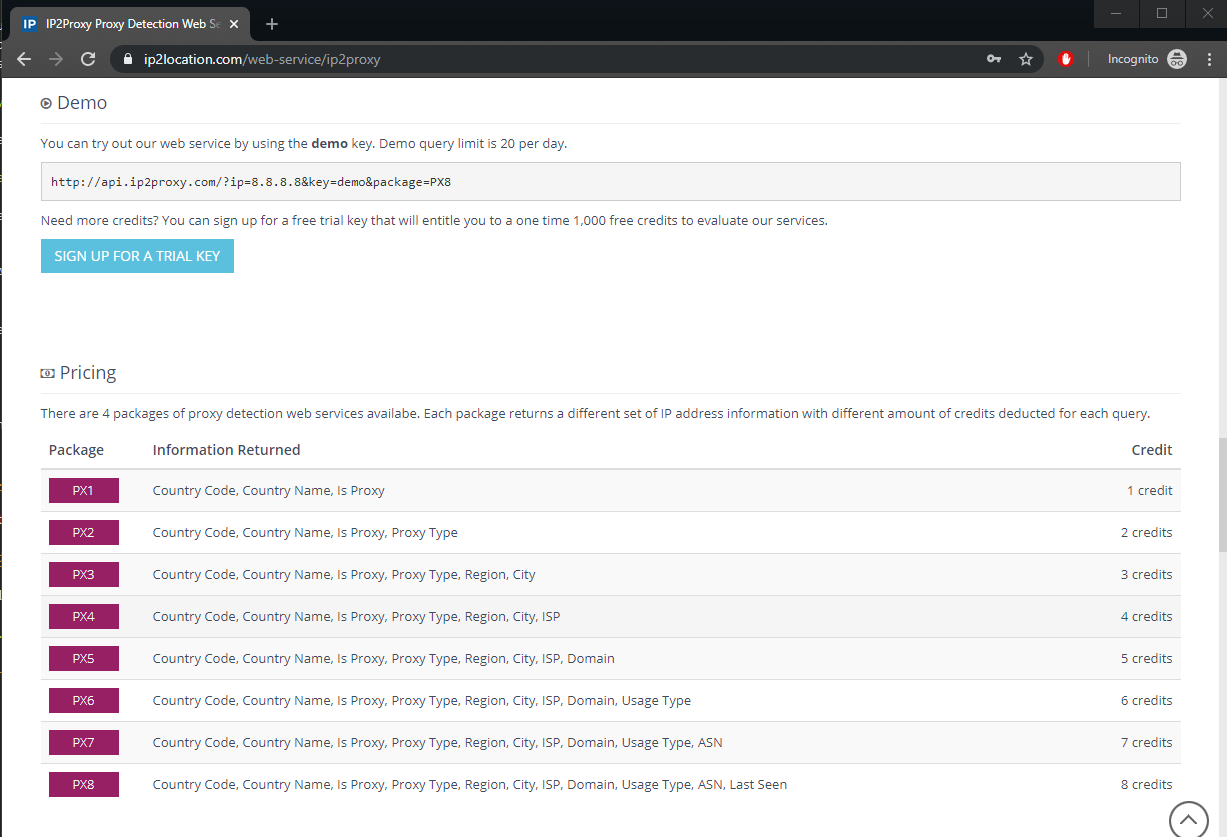
ip2proxy trial key packages

Once you sign up, you'll receive the free API key via email. Create an .env file and place it at the root of your project folder. Copy your API key to the file as follows:

NEXT_SERVER_IP2PROXY_API=<place API key here>

This free key will give you 1,000 free credits. At a minimum, we'll need the following fields for our application to function:

  • countryName
  • proxyType

If you look at the pricing section on the IP2Proxy page, you'll note that the PX2 package will give us the required response. This means each query will costs us two credits. Below is a sample of how the URL should be constructed:

  • http://api.ip2proxy.com/?ip=8.8.8.8&key=demo&package=PX2

You can also submit the URL query without the IP. The service will use the IP address of the machine that sent the request. We can also use the PX8 package to get all the available fields such as isp and domain in the top-most package of the IP2Proxy Detection Web Service.

  • http://api.ip2proxy.com/?key=demo&package=PX8

In the next section, we'll build a simple state management system for storing the proxy data which will be shared among all site pages.

Building Context API in Next.js

Create the file context/proxy-context and insert the following code:

import React, {
    useState,
    useEffect,
    useRef,
    createContext
} from 'react'

export const ProxyContext = createContext()

export const ProxyContextProvider = (props) => {
    const initialState = {
        ipAddress: '0.0.0.0',
        countryName: 'Nowhere',
        isProxy: false,
        proxyType: ''
    }

    // Declare shareable proxy state
    const [proxy, setProxy] = useState(initialState)
    const prev = useRef()

    // Read and Write Proxy State to Local Storage
    useEffect(() => {
        if (proxy.countryName == 'Nowhere') {
            const localState = JSON.parse(localStorage.getItem('ip2proxy'))
            if (localState) {
                console.info('reading local storage')
                prev.current = localState.ipAddress
                setProxy(localState)
            }
        } else if (prev.current !== proxy.ipAddress) {
            console.info('writing local storage')
            localStorage.setItem('ip2proxy', JSON.stringify(proxy))
        }
    }, [proxy])

    return(
        <ProxyContext.Provider value={[ipLocation, setProxy]}>
            {props.children}
        </ProxyContext.Provider>
    )
}

Basically, we’re declaring a sharable state called proxy that will store data retrieved from the IP2Proxy web service. The API fetch query will be implemented in pages/index.js. The information will be used to redirect visitors to the relevant pages. If the visitor tries to refresh the page, the saved state will be lost. To prevent this from happening, we're going to use the useEffect() hook to persist state in the browser's local storage. When a user refreshes a particular landing page, the proxy state will be retrieved from the local storage, so there's no need to perform the query again. Here's a quick sneak peek of Chrome's local storage in action:
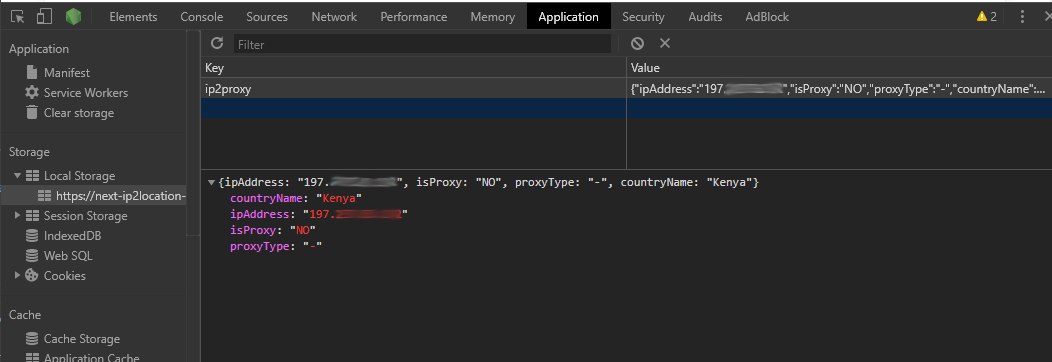
chrome local storage

Tip: In case you run into problems further down this tutorial, clearing local storage can help resolve some issues.

Displaying Proxy Information

Create the file components/proxy-view.js and add the following code:

import React, { useContext } from 'react'
import { ProxyContext } from '../context/proxy-context'

const style = {
    padding: 12
}

const ProxyView = () => {
    const [proxy] = useContext(ProxyContext)
    const { ipAddress, countryName, isProxy, proxyType } = proxy

    return (
        <div className="box center" style={style}>
            <div className="content">
                <ul>
                    <li>IP Address : {ipAddress} </li>
                    <li>Country : {countryName} </li>
                    <li>Proxy : {isProxy} </li>
                    <li>Proxy Type: {proxyType} </li>
                </ul>
            </div>
        </div>
    )
}

export default ProxyView

This is simply a display component that we'll place at the end of each page. We're only creating this to confirm that our fetch logic and application's state is working as expected. You should note that the line const [proxy] = useContext(ProxyContext) won't run until we've declared our Context Provider at the root of our application. Let's do that now in the next section.

Implementing Context API Provider in Next.js App

Create the file pages/_app.js and add the following code:

import React from 'react'
import App from 'next/app'
import 'bulma/css/bulma.css'
import { ProxyContextProvider } from '../context/proxy-context'

export default class MyApp extends App {
  render() {
    const { Component, pageProps } = this.props

    return (
      <ProxyContextProvider>
        <Component {...pageProps} />
      </ProxyContextProvider>
    )
  }
}

The _app.js file is the root component of our Next.js application where we can share global state with the rest of the site pages and child components. Note that this is also where we're importing CSS for the Bulma framework we installed earlier. With that set up, let's now build a layout that we'll use for all our site pages.

The post How to Divert Traffic Using IP2Location in a Next.js Website appeared first on SitePoint.


by Michael Wanyoike via SitePoint
Larry Page and Sergey Brin Stepping Down from Alphabet Management

Larry Page and Sergey Brin are the co-founders of Google, and they have been heavily involved in the management of the company since its founding in 1998. However, in 2015 the company was restructured to be a part of a larger conglomerate known as Alphabet which was to be an umbrella company that...

[ This is a content summary only. Visit our website https://ift.tt/1b4YgHQ for full links, other content, and more! ]

by Zia Muhammad via Digital Information World

40 Free Facebook Covers and Posts Templates That You Can Customize

Facebook is a giant in the world of social networks. And the question is – Why exactly Facebook? Social networks are a great place for communications with the audience, for finding news; it is a great mean of communication and expression. Millions of users all over the world are browsing posts and...

[ This is a content summary only. Visit our website https://ift.tt/1b4YgHQ for full links, other content, and more! ]

by Web Desk via Digital Information World

YouTube CEO continues to stand by its search engine's recommendation system – despite the ongoing criticism

YouTube has been facing a lot of scrutinies lately – mainly for posting content that spreads false information and exploiting children with inappropriate videos. Now the critics are at it again and this time targeting the video streaming network’s recommendation protocol, that uses algorithms to...

[ This is a content summary only. Visit our website https://ift.tt/1b4YgHQ for full links, other content, and more! ]

by Saima Salim via Digital Information World