
by via Awwwards - Sites of the day


Our next ‘Ask the UXperts’ session is all about an amazing journey into digital accessibility.
Amir Ansari and Kelly Schulz are partners in appsforall – a project that seeks to help people create more accessible apps. Their target audience is product owners, app developers and designers. Their mission is to provide the tools, resources and guidelines necessary to start the process of re/building apps with accessibility and inclusion in mind.
In this session we’ll
If inclusive design is a part of your manifesto then this is the session for you.

He has a team of wonderful, talented and friendly UXers helping to make people’s lives easier.
Amir has done his 10,000 + hours (over 18 years) of practice designing and leading designers, and is passionate about creating inclusive and accessible experiences that leave people feeling engaged and empowered. He likes to do all that with a smile on his face.

With five years leading Telstra’s Complaint Analysis & Insights Team, she has a deep knowledge of how product, process and system design plays a significant role in the lives of consumers.
Born with a rare, genetic, eye condition, Kelly has been legally blind since birth. Now responsible for Telstra’s Accessibility & Inclusion strategy, Kelly’s approach focuses on building awareness, and an accessibility conscience, to foster inclusion of customers, employees and their communities living with disability.
These sessions run for approximately an hour and best of all, they don’t cost a cent. We use a dedicated public Slack channel. That means that there is no audio or video, but a full transcript will be posted up on here in the days following the session.
The post Ask the UXperts: Building Accessible Apps — Amir Ansari & Kelly Schulz appeared first on UX Mastery.

Length.js is a useful JavaScript library for length units conversion. It was designed to work both in the browser and in Node.js

Quite an epic post which has loads of useful code examples explaining so many awesome new JavaScript features. (freecodecamp.org)
Selenium is a framework for the automated testing of web applications. Using Selenium, you can basically automate every task in your browser as if a real person were to execute the task. In this article, Nils Schütte explains the ins and outs to help get you started. (smashingmagazine.com)
Heydon Pickering explores how to create inclusive data tables. Ones that are screen reader accessible, responsive, and as ergonomic as possible for everyone. (inclusive-components.design)
In this article, Lukas van Driel sets up the basics of a web app using Vue.js and Firestore (Google’s new Firebase data storage). (smashingmagazine.com)
Chris Coyier shares some great examples and thoughts around some of the more crazy CSS experiments. (css-tricks.com)
Robin Rendle shares some things he has learnt about design systems at Gusto. (medium.com)
Simple and complete React DOM testing utilities that encourage good testing practices. (github.com)
A early version of a new Auto Attach feature has been added to VS Code’s Node.js debugger. If enabled, the Node debugger automatically attaches to Node.js processes that have been launched in debug mode from VS Code’s Integrated Terminal. (visualstudio.com)
A little library that can be used for creating WebGL powered distortion hover effects using displacement images. (tympanus.net)
Milanote is a tool for planning creative projects. (milanote.com)
We’re on the hunt for an experienced web front-end designer/developer to join our team in our beautiful offices in Collingwood, Melbourne, Australia. (jackywinter.com)
Product Designers! Come join Khan Academy and put your passion and skill for great design toward a deeply meaningful purpose. Join us on our mission to provide a free, world-class education for anyone, anywhere. (khanacademy.org)
The post Web Design Weekly #315 appeared first on Web Design Weekly.


This article was created in partnership with Wix. Thank you for supporting the partners who make SitePoint possible.
Constructed from start to finish by an all-designer team, the Wix Playground goes to show how, when given the right tools, professional creatives can independently master their work online. And this, without giving in to technological constraints and artistic compromises. When letting creativity run this freely, the Web really does become a playground.
It is a rare occasion in a designer’s career to work for fellow designers. When the opportunity does arise, it usually carries with it a unique thrill. This is what happened to the Wix Design team, when they were asked to imagine a new language, content and stand-alone website to speak web design to the community of professional creatives. “We could do whatever we wanted, which was exciting and extremely challenging at the same time”, recalls Hagit Kaufman, VP of Design and Branding at Wix.
While the team was brainstorming at the early stages of the project, the ideas of enjoyment and free experimentation kept coming up. “Most of the designers involved expressed the act of creating with Wix as ‘playing’, having fun with the design features on a blank page”, says Lior Dahan from the Wix Studio. The project was hence titled “Playground”, a name highlighting the company’s belief that the Web should, first and foremost, be fun.
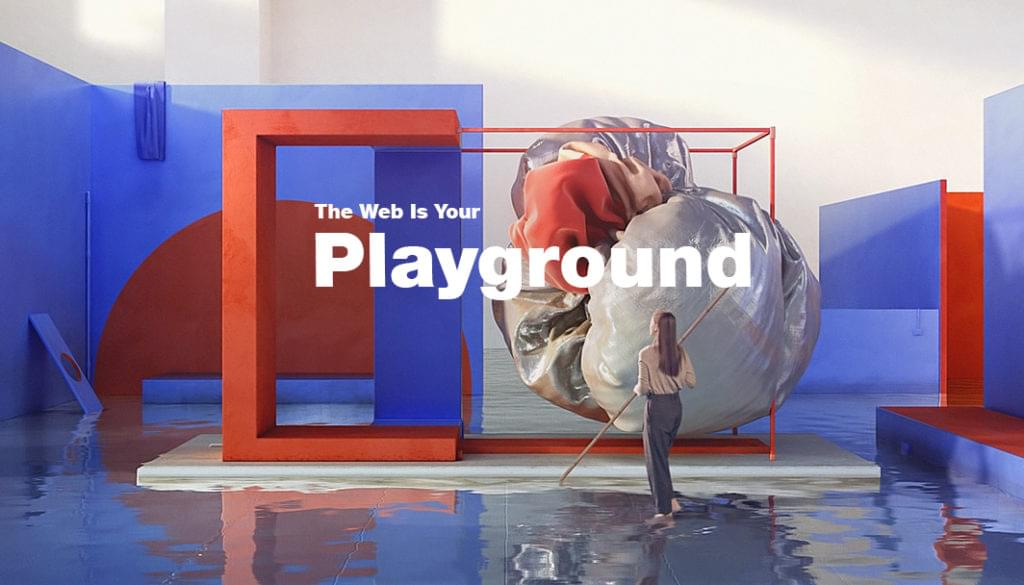
The resulting Playground mini-site is an incredible celebration of online creativity. Every single element was built from scratch, in-house. Even more impressive: no developer was involved in the process. Thanks to the agility of the Wix Editor and its meticulous design features, the Design team could bring their creative vision to life on their own. Among the assets that Wix offers are customizable layouts, allowing complete control over all the elements of the page, down to perfecting the exact column width. Designers can pick from numerous sophisticated effects, such as parallax or hover boxes, to add that interactive spark. Finally, retina-ready image display, as well as an HD video player, make their vision shine through as sharply as they’ve intended.
These design features are accompanied by other helpful tools such as custom domains, unlimited storage and industry-leading SEO, meant to answer all professional creatives’ needs. These versatile options enable all web design decisions to remain solely in the hands of the designer. As Hagit Kaufman puts it, this gives the user the ability to “own their site from design to live, and make use of that freedom to bring their true self as a designer forward - without depending on anyone else.”
Continue reading %When Wix Revolutionizes Web Design for Designers%
