
by via Awwwards - Sites of the day



More often than not, when building your JavaScript application, you’ll want to fetch data from a remote source or consume an API. I recently looked into some publicly available APIs and found that there’s lots of cool stuff that can be done with data from these sources.
With Vue.js, you can literally build an app around one of these services and start serving content to users in minutes.
I’ll demonstrate how to build a simple news app that will show the top news articles of the day allow users to filter by their category of interest, fetching data from the New York Times API. You can find the complete code for this tutorial here.
Here’s what the final app will look like:
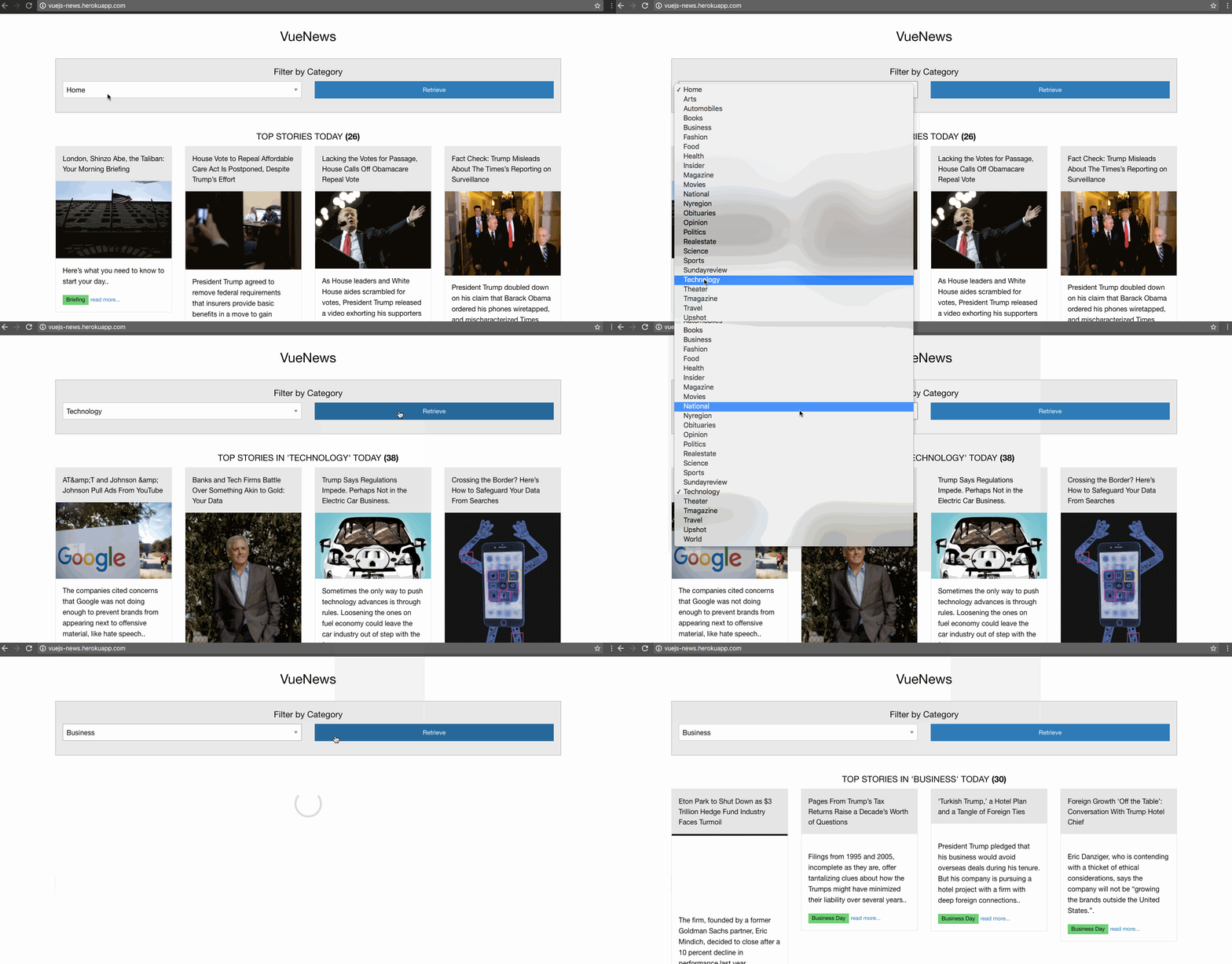
To follow along with this tutorial, you’ll need a very basic knowledge of Vue.js. You can find a great “getting started” guide for that here. I’ll also be using ES6 Syntax, and you can get a refresher on that here.
We’ll keep things very simple by limiting ourselves to just 2 files:
./app.js
./index.html
app.js will contain all the logic for our app, and the index.html file will contain our app’s main view.
We’ll start off with some basic markup in index.html:
<!DOCTYPE html>
<html lang="en">
  <head>
    <meta charset="utf-8">
    <title>The greatest news app ever</title>
  </head>
  <body>
    <div class="container" id="app">
      <h3 class="text-center">VueNews</h3>
    </div>
  </body>
</html>
Next, include Vue.js and app.js at the bottom of index.html, just before the closing </body> tag:
<script src="https://unpkg.com/vue"></script>
<script src="app.js"></script>
Optionally, Foundation can be included, to take advantage of some pre-made styles and make our view look a bit nicer. Include this within the <head> tag:
<link rel="stylesheet" href="https://cdnjs.cloudflare.com/ajax/libs/foundation/6.3.1/css/foundation.min.css">
First, we’ll create a new Vue instance on the element div#app, and mock the response from the news API using some test data:
// ./app.js
const vm = new Vue({
  el: '#app',
  data: {
    results: [
      {title: "the very first post", abstract: "lorem ipsum some test dimpsum"},
      {title: "and then there was the second", abstract: "lorem ipsum some test dimsum"},
      {title: "third time's a charm", abstract: "lorem ipsum some test dimsum"},
      {title: "four the last time", abstract: "lorem ipsum some test dimsum"}
    ]
  }
});
We tell Vue what element to mount on, via the el option, and specify what data our app would be using via the data option.
To display this mock data in our app view, we can write this markup inside the #app element:
<!-- ./index.html -->
<div class="columns medium-3" v-for="result in results">
  <div class="card">
    <div class="card-divider">

    </div>
    <div class="card-section">
      <p>.</p>
    </div>
  </div>
</div>
The v-for directive is used for rendering our list of results. We also use double curly braces to show the contents of each of them.
Note: you can read more on the Vue Template Syntax here.
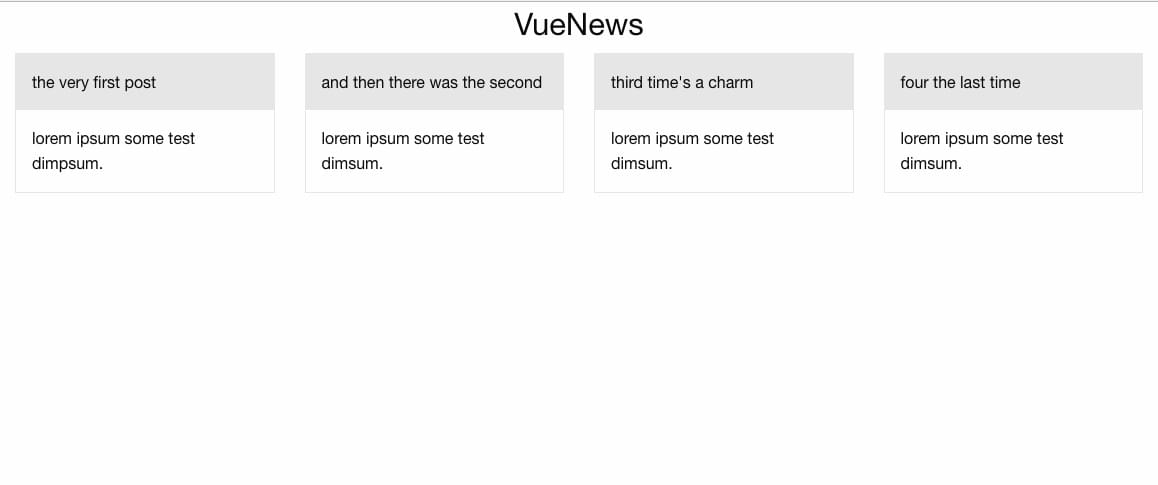
We now have the basic layout working:
To make use of the NYTimes API, you’ll need to get an API key. So if you don’t already have one, head over to their signup page and register to get an API key for the Top Stories API.
Axios is a promise-based HTTP client for making Ajax requests, and will work great for our purposes. It provides a simple and rich API. It’s quite similar to the fetch API, but without the need to add a polyfill for older browsers, and some other subtleties.
Note: previously, vue-resource was commonly used with Vue projects, but it has been retired now.
Including axios:
<!-- ./index.html -->
<script src="https://unpkg.com/axios/dist/axios.min.js"></script>
Now we can make a request to get a list of top stories from the home section, once our Vue app is mounted:
// ./app.js

const vm = new Vue({
  el: '#app',
  data: {
    results: []
  },
  mounted() {
    axios.get("https://api.nytimes.com/svc/topstories/v2/home.json?api-key=your_api_key")
    .then(response => {this.results = response.data.results})
  }
});
Remember: replace your_api_key with your actual API key obtained from the NYT Dev Network area.
Now we can see the news feed on our app homepage. Don’t worry about the distorted view; we’ll get to that in a bit:

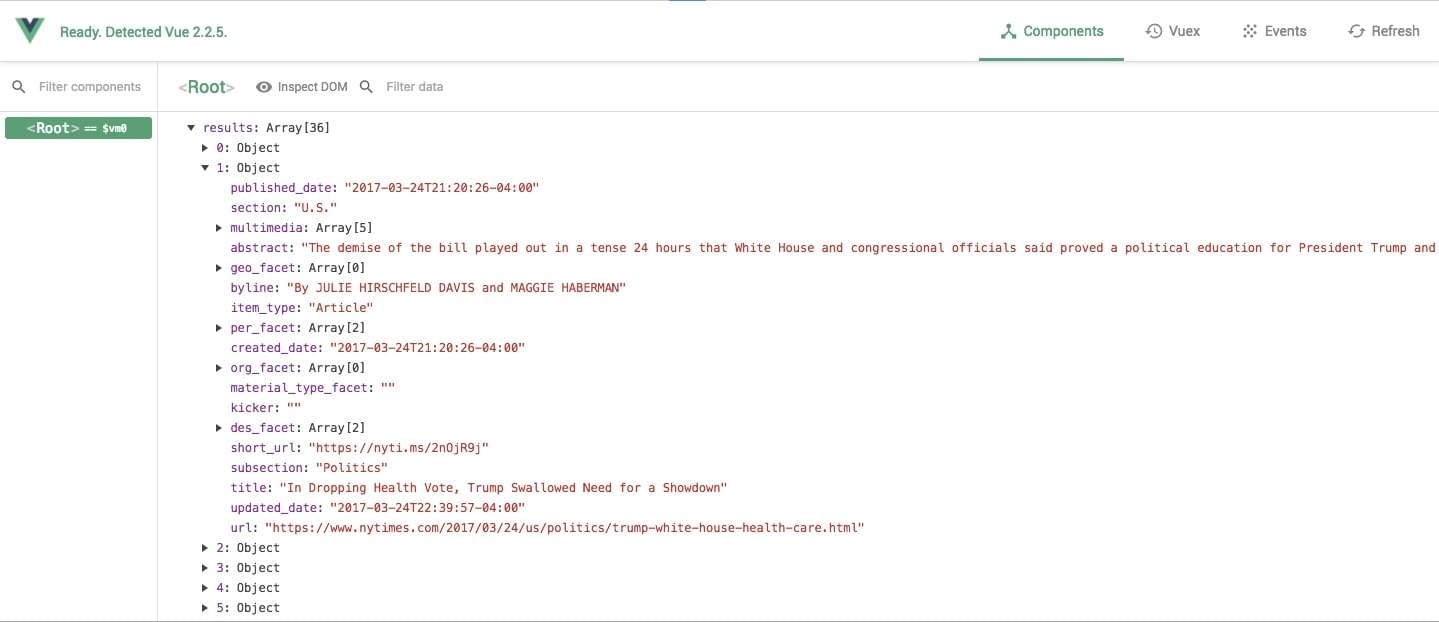
The response from the NYT API looks like this, via Vue devtools:
The post Fetching Data from a Third-party API with Vue.js and Axios appeared first on SitePoint.

First off, what is cross-browser testing?
Cross-browser testing is the formality of testing web applications and websites in all of the common web browsers that users use today — this ensures that we deliver a consistent user experience everywhere, and not just the web browser that takes our fancy. Here are some of the things to look out for:
Inconsistencies are actually very normal. Fact is, all web browsers behave and render websites a little differently, and some browsers might not even support the features we originally aimed to utilize; and when these inconsistencies appear, it can have a direct impact on our revenue (among other things).
Let’s take eCommerce for example. 69.89% of checkouts are abandoned, and 17% of those are attributed to website errors and crashes. Assuming that a business would accrue half a million sales annually, that’s 59,407 sales lost due to errors and crashes that could have been thwarted by cross-browser testing.
Since Microsoft announced they’d be ditching their own EdgeHTML and Chakra engines in favor of the widely-adopted Blink and V8 engines, this means many of the major browsers today offer similar levels of code compatibility. While this is a step back in terms of healthy competition, it does mean that if a website works in Google Chrome, it’ll most likely work in Brave, Opera, and soon-to-be Microsoft Edge. That combined with the fact that even Microsoft has instructed us to stop using Internet Explorer, cross-browser testing is easier than it’s ever been before, with only Safari and Firefox using their own engines.
Technically, the web browsers we should be supporting today are the ones that our users and customers are using, information that’s easy enough to find using Google Analytics or some other kind of web analytics tracking software. But if you don’t have that kind of data available, here are the worldwide statistics*:
*As of November 2018.
Also, bear in mind that there are multiple releases of each web browser across multiple OSs. Sound scary? Not really, but it is boring as heck to be testing websites on all of them!
Luckily, there are a number of excellent cross-browser testing tools available, so today we’re going to take a look at 7 of the best ones.
The post 7 Cross-Browser Testing Tools You Need in 2019 appeared first on SitePoint.


