A multipurpose, responsive table with animated collapsible columns and sticky head made with CSS3, jQuery and GSAP’s TweenMax.
The post Multipurpose Table with Animated Collapsible Columns appeared first on Best jQuery.

by Admin via Best jQuery
A multipurpose, responsive table with animated collapsible columns and sticky head made with CSS3, jQuery and GSAP’s TweenMax.
The post Multipurpose Table with Animated Collapsible Columns appeared first on Best jQuery.

Concerned about the European Union’s Copyright Directive? Wondering how this new rule could impact your marketing? In this article, you’ll learn about what parts of the European Union’s Directive on Copyright will impact the use of social media for both businesses and individuals. What Is the EU’s Directive on Copyright Article 17? The EU Copyright […]
The post The New EU Copyright Directive: What Marketers Need to Know appeared first on Social Media Marketing | Social Media Examiner.


Search Engine Optimization (SEO) is the process of optimizing your website for maximum online discovery, mainly through search engines.
Did you know 72% of all One Page Love visitors arrive from Google searches! Yup, thousands each day because I spent the time optimization the content.
Squarespace also understands the importance of SEO and have invested heavily in making this optimization process as seamless as possible. In this tutorial I’m going to show you how to edit your Squarespace SEO settings and start ranking higher in search results.
Yay! Squarespace has been kind enough to give One Page Love readers the exclusive coupon OPL10 for 10% Off your first website or domain purchase. (There is a free 14-day trial with no credit card needed, so you can try risk free.)
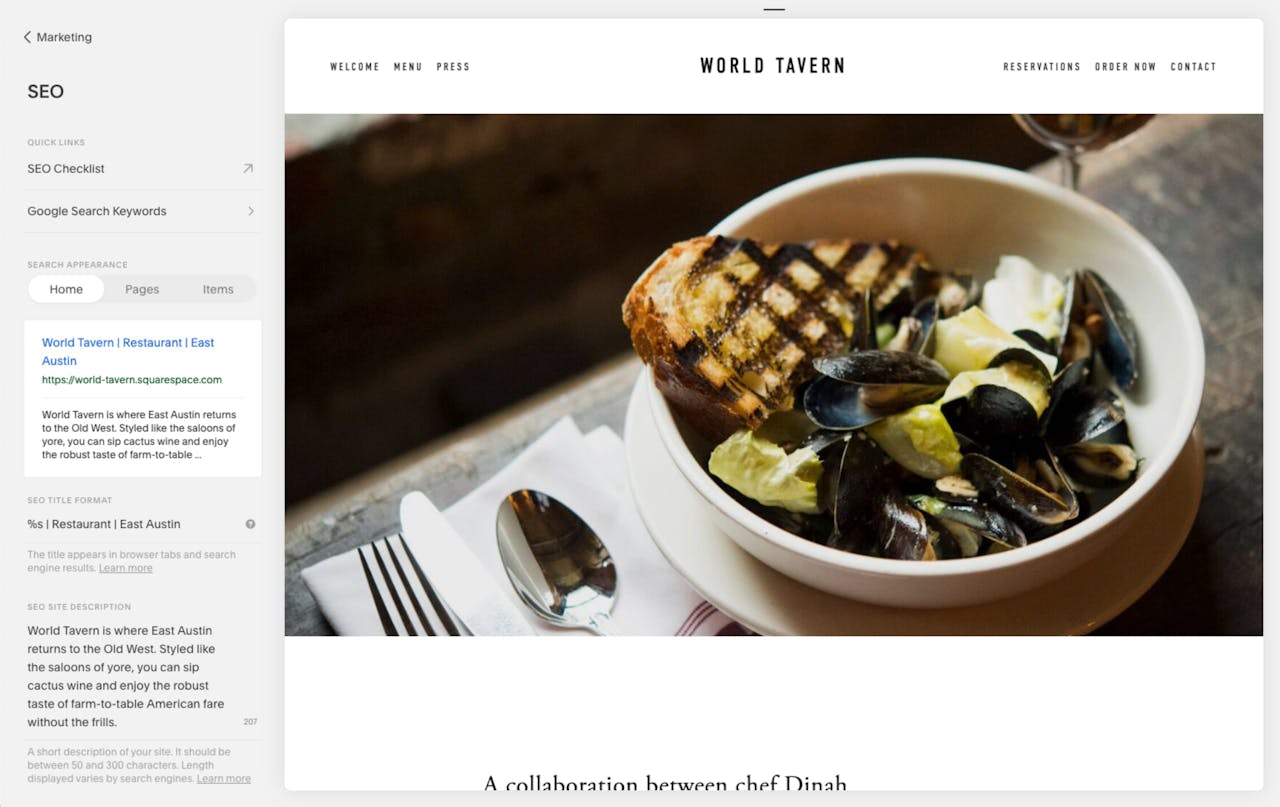
Step 1 – Add a site title and description in the updated SEO Panel: Head to Menu > Marketing > SEO and fill out your website title and description (service overview). Remember to keep this friendly but also descriptive (exactly how you would like to see a search result you are looking for).
Step 2 – Connect a custom domain: Using a custom domain (rather than the built-in .squarespace.com URL) strengthens your brand and makes it easier for potential customers to find you in search results. Head to Menu > Settings > Domains and go through the steps.
Step 3 – Structure content with headings: Clear headings that clearly describe the content can make it easier for search engines to detect your website topic. In the Text Block toolbar, use the Format drop-down menu to create headings. Choose from the three levels of headings: H1, H2 and H3. H1 should only be used once, H2’s are your main page sections and H3’s are the subheadings within H2 sections:

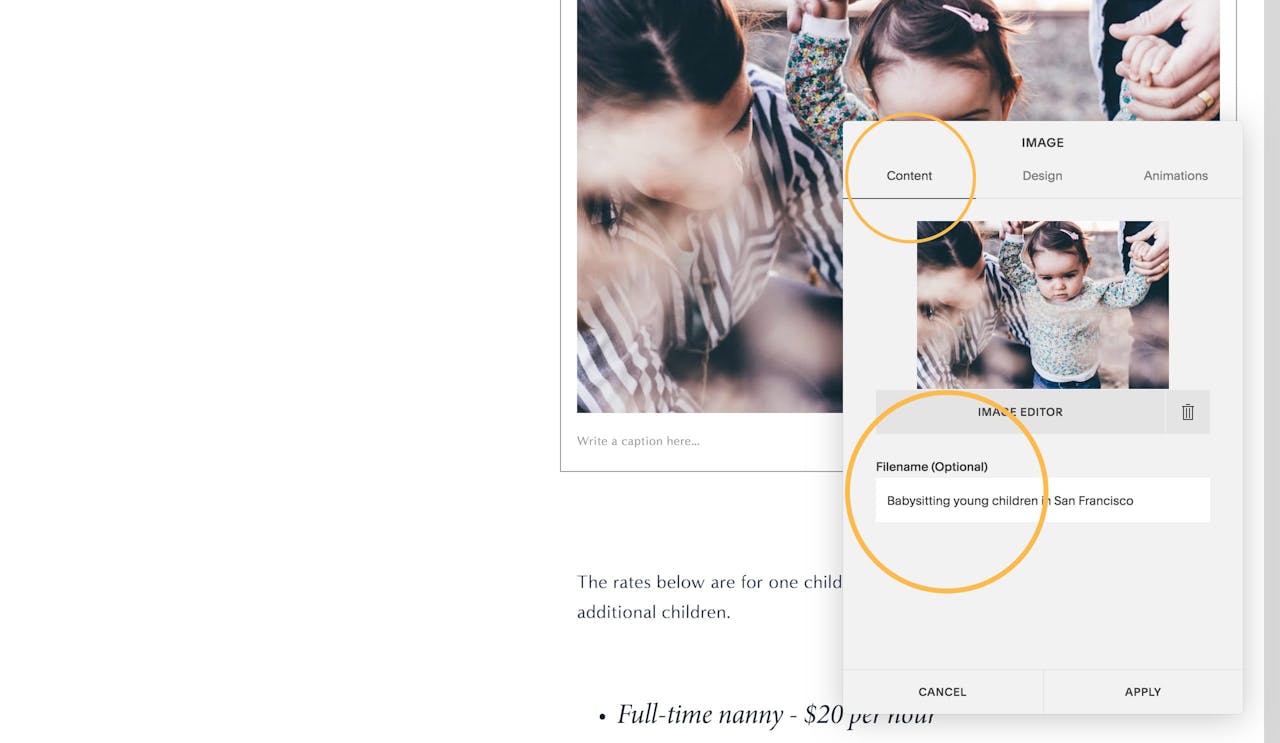
Step 4 – Add alt text to images: Search engines also index image alt text (the text set for visually impaired visitors) when they crawl pages. Hover over the image, open the image editor and update the Filename field in the Content tab:
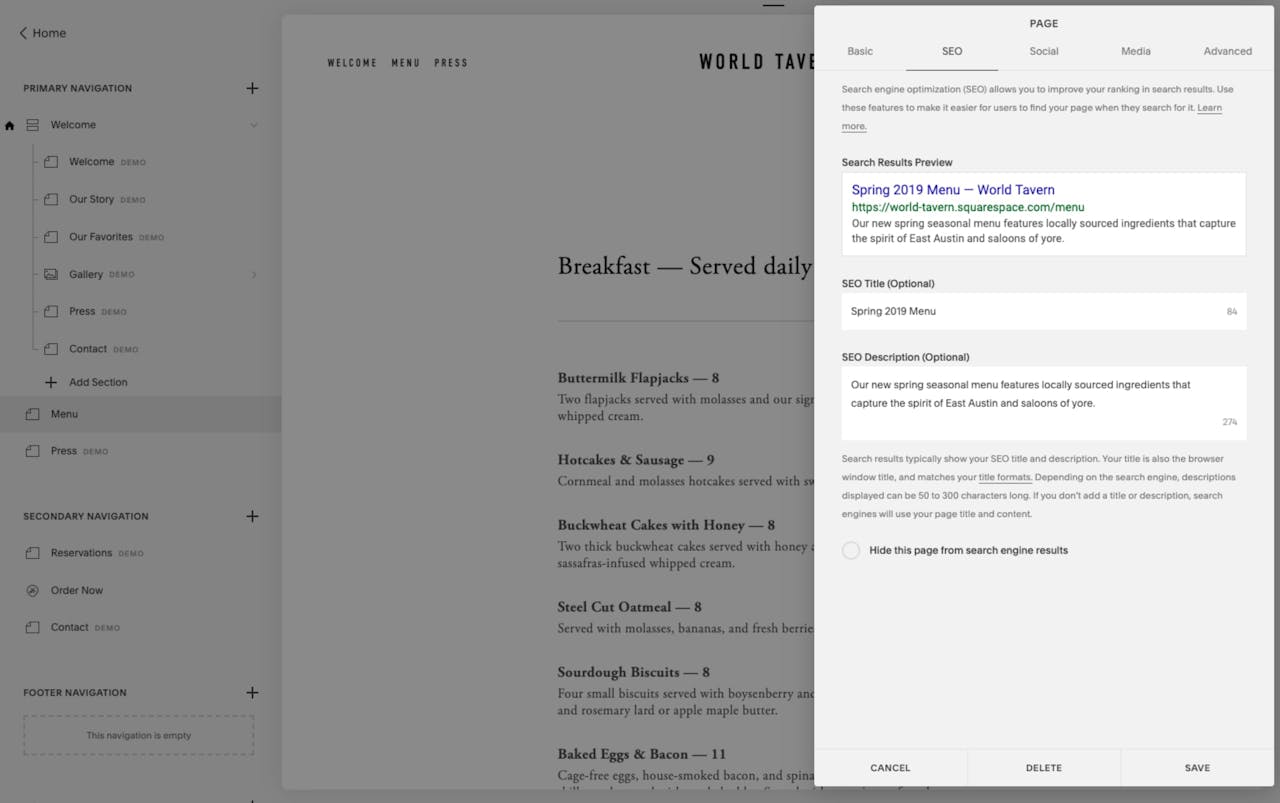
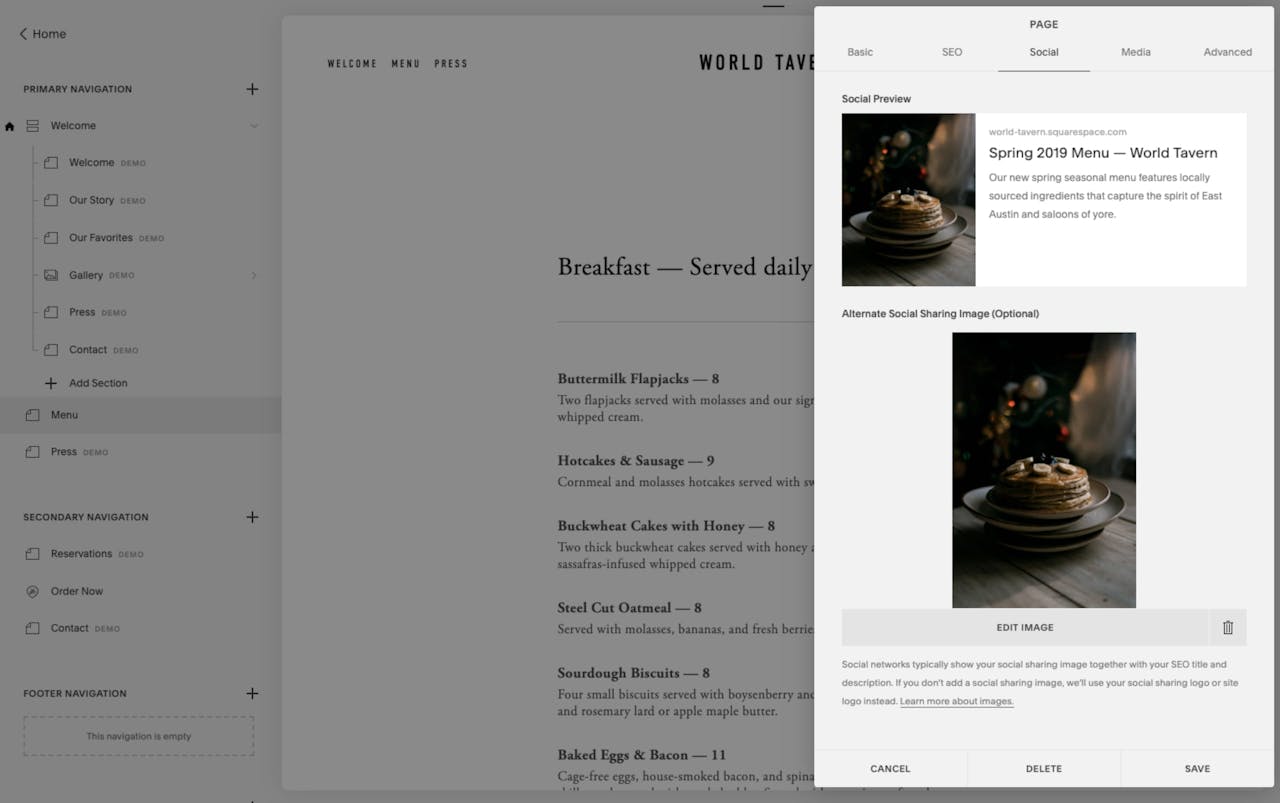
Step 5 – Specific page SEO title, description, social sharing image: Just like Step 1, the same goes for sub-pages. You simply set a user-friendly page title and description for each. You can also specify a social image for your page so when visitors share content from your site, you again are ensuring it’s presented the way you want:
Squarespace has the real technical side covered too — there is no need to scratch under the hood for the following features:
Squarespace is a leading online website builder. What sets them apart from the rest is their superior level of design and customer support. They have a huge support team and are available 24/7. Other main benefits are:
I hope you enjoyed this tutorial on how to optimize your Squarespace template for maximum search engine visibility. Props to Squarespace for creating a platform where we can create beautiful Landing Pages, easily. If you missed it I also wrote a tutorial on how to promote your upcoming events using Squarespace.

MadeByShape are a Creative and Digital Agency in Manchester, UK. Working with clients all over the world, from startup brands through to global organisations.