
This article was created in partnership with Buddy. Thank you for supporting the partners who make SitePoint possible.
In this article, you will learn how to set up continuous integration/deployment pipelines for your branching workflow. We will be using Buddy CI/CD services to set up the pipelines. We'll use a basic JavaScript project where we'll set up a couple of development branches. I'll show you how to automate testing on each type of branch. I'll also be introducing the concept of branching workflows, and show a few examples you can adopt in your projects.
Prerequisites
To follow along with this tutorial, you only need basic Node.js skills. You also need to be conversant with Git. Here are a couple of articles to help you out:
- Git for Beginners
- Git for Teams
- Our book, Jump Start Git
In order to set up our pipelines, we will need to write a few tests using Jest. You don't need to learn Jest if you are new to it — the focus for this article is to learn how to set up pipelines that will automatically pick new branches and build them for you. Before we get to that, we should look into various branch strategies we can use.
Zero Branch Strategy
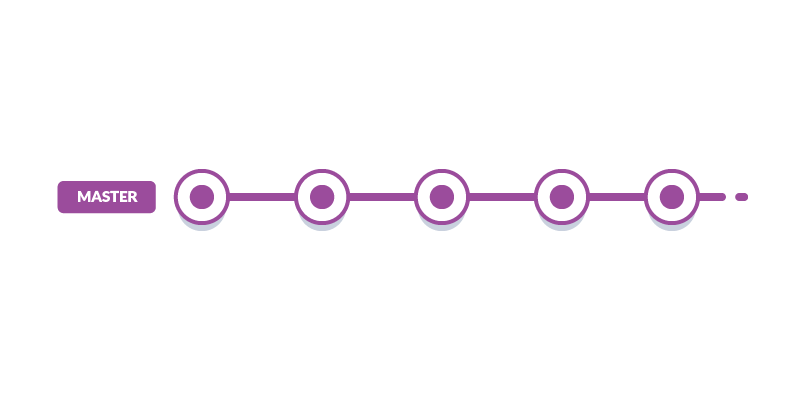
The Zero Branch Strategy is simply a fancy way of saying "you are not using any branch strategy." It's also known as a basic workflow. You only have a master branch where you directly commit and build your releases. This strategy is convenient and good if the project is:
- Small and simple
- Hardly requires updates
- Managed by a solo developer
Such projects include tutorials, demos, prototypes, starter project templates and personal projects. However, there are several cons to this approach:
- Multiple merge conflicts will likely occur if more than one person is working on the project
- You won't be able to develop multiple features and fix issues concurrently
- Removing and restoring features will be a difficult task
- Your team will spend too much time dealing with version control issues instead of working on new features
All these issues can be resolved by adopting a branch strategy. This should give you:
- Ability to work independently and push changes to the shared repository without affecting your team members
- Ability to merge your teammates' code with your changes and quickly resolve any conflicts that may come up
- Assurance that code standards are maintained and collaboration efforts run smoothly regardless of the size of your team
Do note that there are many types of branch workflows you are free to pick. You can also create your own custom branch workflow that works best for you. Let's start with the simplest branch strategy.
Develop Branch Strategy
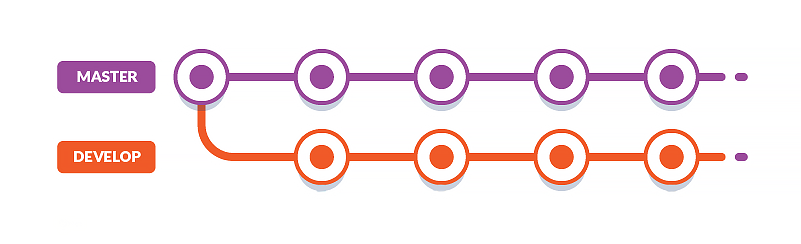
In this strategy, you set up a long-living branch called develop that runs alongside the master branch. All work is committed first to the develop branch. This is a safe place where you can introduce new code that might break your project. You'll need a testing strategy in place in order to ensure that you don't introduce bugs to the master branch when you merge the changes.
The pros of this workflow are:
The post How to Use Git Branches & Buddy to Organize Project Code appeared first on SitePoint.
by Michael Wanyoike via SitePoint