Wednesday, October 30, 2019

Facebook creeps into the digital healthcare industry

Facebook, the leading social media giant is slowly trying to enter the healthcare market. The company is soon launching a tool called ‘Preventive Health’ that will prompt users to go for regular health checkups and even connect them to relevant providers. Dr. Freddy Abnousi is leading the new...

[ This is a content summary only. Visit our website https://ift.tt/1b4YgHQ for full links, other content, and more! ]

by Saima Salim via Digital Information World

Effective and Powerful Blogging Tips for Creative Content Creators (infographic)

Struggling with the writer’s block is quite common in content creators and bloggers. Everyone wants to keep their blog fresh, hip, interactive and interesting, however, for most of the bloggers this is not easy because running out of creative ideas is very common. Most of the creators have just one...

[ This is a content summary only. Visit our website https://ift.tt/1b4YgHQ for full links, other content, and more! ]

by Aabroo Saeed via Digital Information World

How to Build Your First Discord Bot with Node.js

How to Build Your First Discord Bot with Node.js

Nowadays, bots are being used for automating various tasks. Since the release of Amazon's Alexa devices, the hype surrounding automation bots has only started to grow. Besides Alexa, other communication tools like Discord and Telegram offer APIs to develop custom bots.

This article will solely focus on creating your first bot with the exposed Discord API. Maybe the most well-known Discord bot is the Music Bot. The music bot lets you type a song name and the bot will attach a new user to your channel who plays the requested song. It’s a commonly used bot among younger people on gaming or streaming servers.

Let’s get started with creating a custom Discord bot.

Prerequisites

  • Node.js v10 or higher installed (basic knowledge)
  • a Discord account and Discord client
  • basic knowledge of using a terminal

Step 1: Setup Test Server

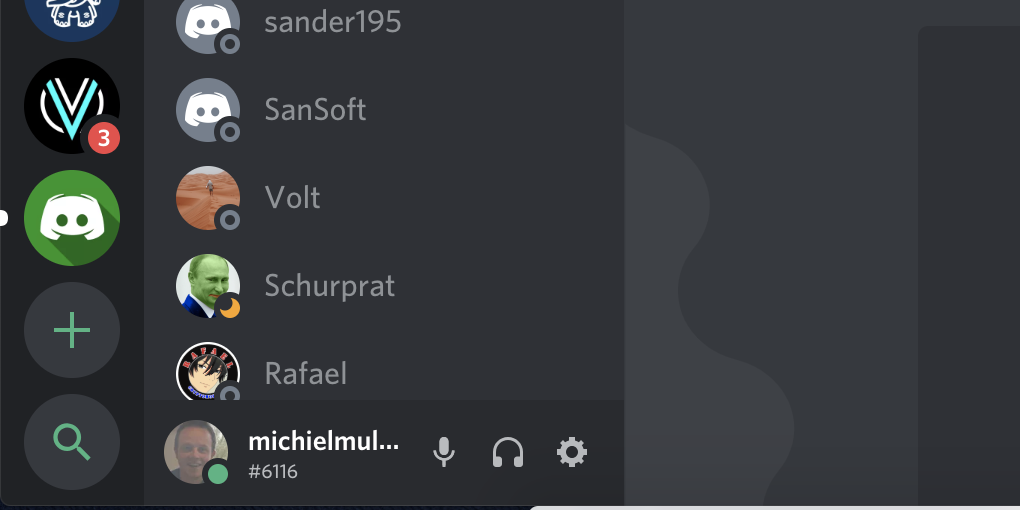
First of all, we need a test server on which we can later test our Discord bot. We can create a new server by clicking the plus icon in the left bottom corner.

click create server

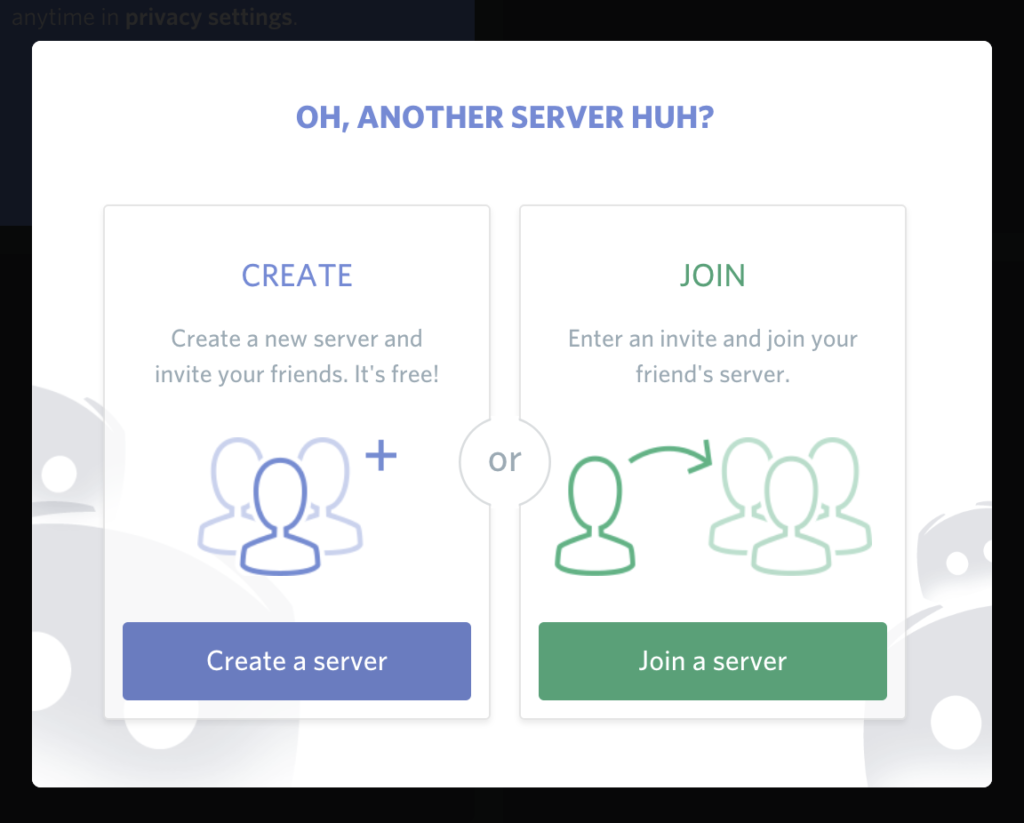
A pop-up will be displayed that asks you if you want to join a server or create a new one. Of course, we want to create a new server.

select create server

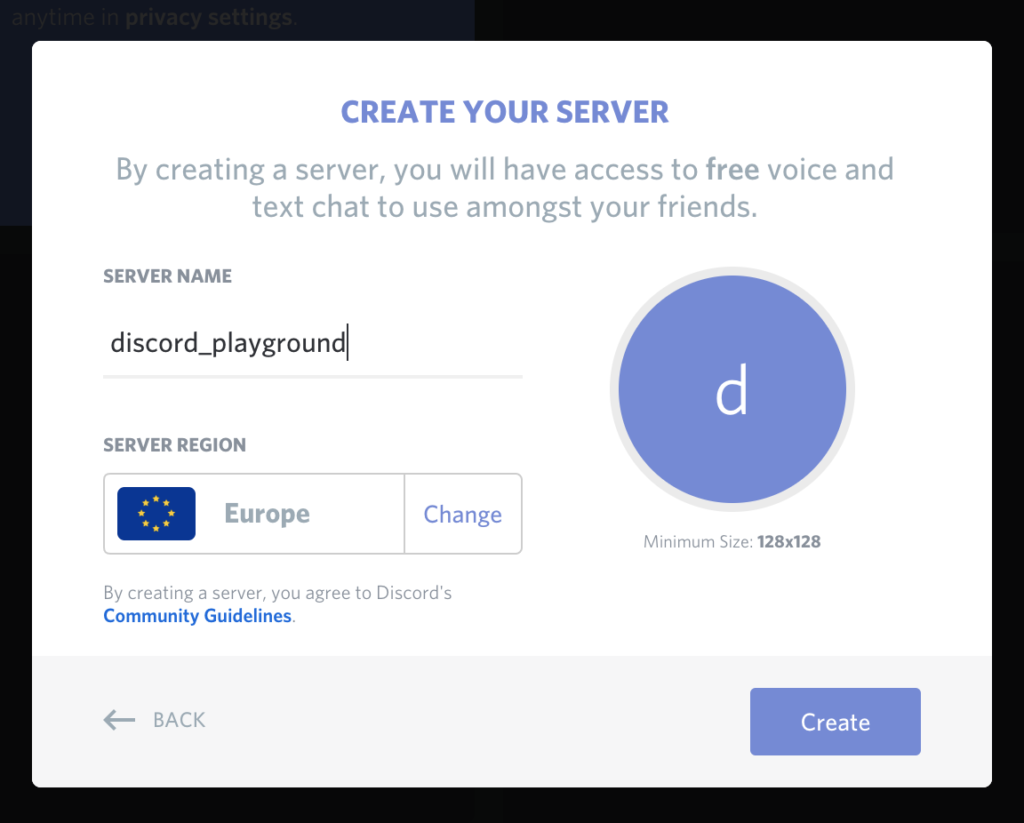
Next, we need to input the name for our server. To keep things simple, I've named the server discord_playground. If you want, you can change the server location depending on where you're located to get a better ping.

server name

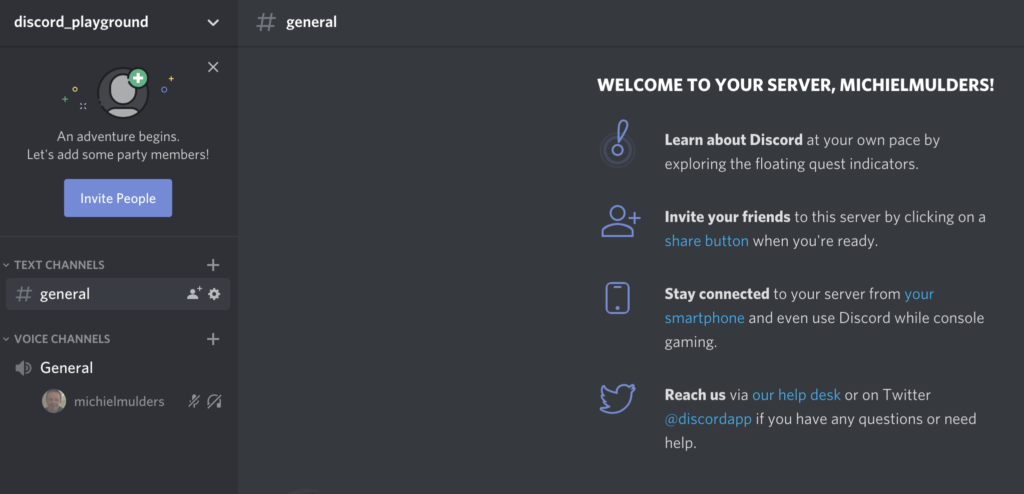
If everything went well, you should see your newly created server.

new server

Step 2: Generating Auth Token

When we want to control our bot via code, we need to register the bot first under our Discord account.

To register the bot, go to the Discord Developers Portal and log in with your account.

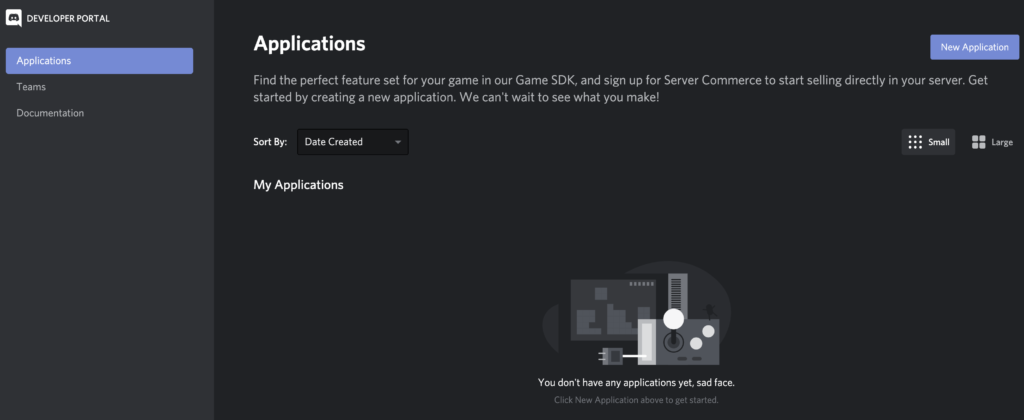
After logging in, you should be able to see the dashboard. Let's create a new application by clicking the New Application button.

developer dashboard

Next, you'll see a pop-up that asks you to input a name for your application. Let's call our bot my-greeter-bot. By clicking the Create button, Discord will create an API application.

create application

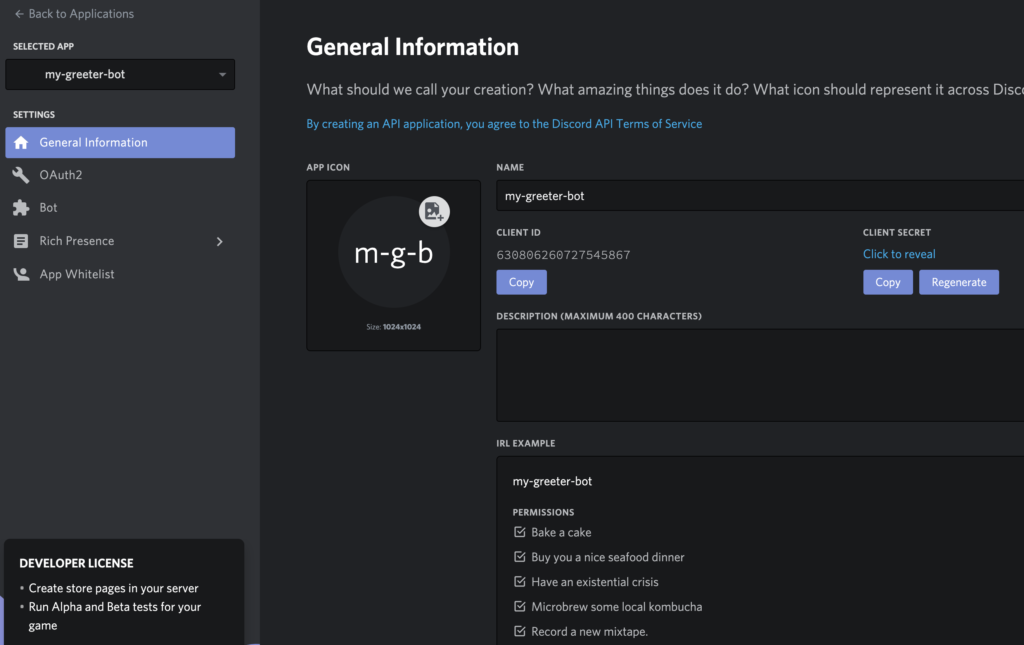
When the application has been created, you'll see the overview of the newly created my-greeter-bot application. You'll see information like a client ID and client secret. This secret will be used later as the authorization token.

overview greeter bot

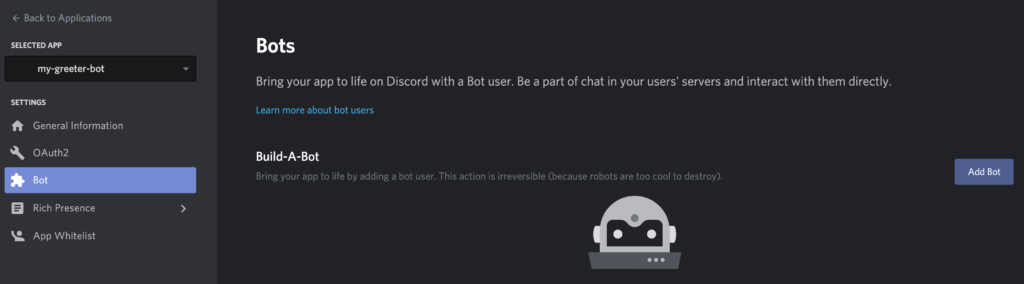
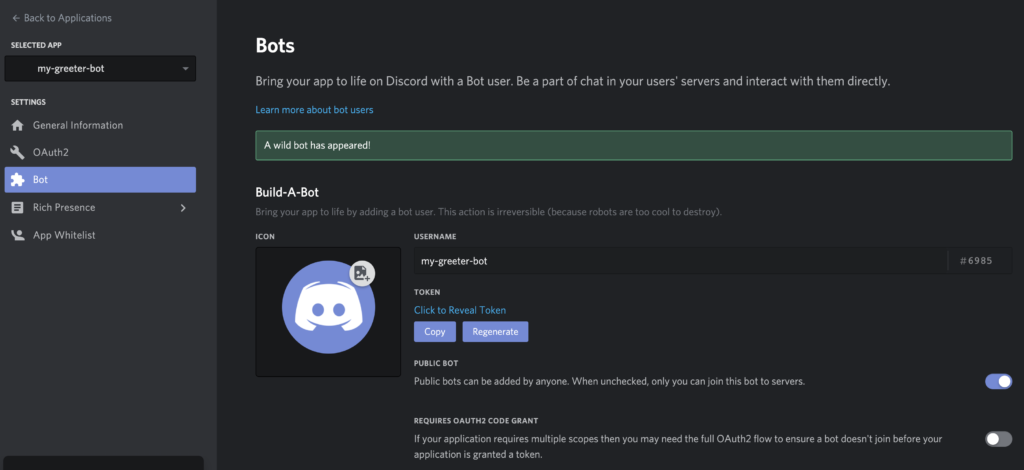
Now, click on the Bot menu option in the Settings menu. Discord will build our my-greeter-bot application and add a bot user to it.

add bot

When the bot has been built, you get an overview of your custom bot. Take a look at the Token section. Copy this authorization token and write it down somewhere, as we'll need it later to connect to our bot user.

bot tab overview

The post How to Build Your First Discord Bot with Node.js appeared first on SitePoint.


by Michiel Mulders via SitePoint

Don’t be a victim! Here is how to protect yourself from scams on social media

The social media is a rapidly evolving world, with news, information, and enticing offers constantly making the rounds on these platforms. Just by turning to Facebook, you are bound to find hundreds of exciting offers, and on Instagram, there are a plethora of amazing promotions waiting for users...

[ This is a content summary only. Visit our website https://ift.tt/1b4YgHQ for full links, other content, and more! ]

by Web Desk via Digital Information World

Protect Your Accounts From Hackers With These Simple Important Steps Revealed By A Cyber Security Expert

Although we know that the title has promised you of something that almost all of us would like to try out in order to protect our confidential information, but that being said, none of us can ever predict about any kind of cyber attack. Hence, the steps discussed can only be applied as a...

[ This is a content summary only. Visit our website https://ift.tt/1b4YgHQ for full links, other content, and more! ]

by Daniyal Malik via Digital Information World

D2Admin – An Elegant Open Source Dashboard

D2Admin is a fully open source and free back-end product front-end integration solution. It's using the latest front-end technology stack. 

Features

  • Build with vue-cli3
  • First screen loading waiting animation
  • Five themes
  • Built-in UEditor rich text editor

by via jQuery-Plugins.net RSS Feed

Facebook Is Working on A New Type of Group: Work Groups

One of the main focuses for Facebook over the past year or so has been bolstering its community centered focus, and one of the many ways in which it has been doing this has involved making its Groups feature more popular among the various people that use them. They have done so by adding features...

[ This is a content summary only. Visit our website https://ift.tt/1b4YgHQ for full links, other content, and more! ]

by Zia Muhammad via Digital Information World